
Printer Support in Minneapolis, MN
Stop wasting time troubleshooting printer errors. We provide comprehensive Printer Support services in Minneapolis, MN, covering everything from initial setup to fixing stubborn connectivity problems.
🖨️
Printer Setup
🌐
Network Printing
📠
Scanner Setup
🔄
Driver Issues
👥
Multi-User Printing
Printer Support for Minnesota Small Businesses
Printers. We know. They’re the bane of everyone’s existence. But when you need to print, you need to print. We support desktop printers, all-in-ones, and network printers. If it’s a large-format printer with a managed contract, we’ll help where we can and point you to the right people when needed.

Small businesses
5-25 employees needing reliable IT support

Home offices
Remote workers and home-based businesses

Retail & Services
Local shops and service providers

Startups
Solo entrepreneurs and growing teams
Occasional Help
Anyone needing IT help a few times per year
Trusted by Minnesota Businesses
Our customers consistently highlight our fast response times, clear communication, and friendly Minnesota-based support.
4.9 rating based on 90 Google Reviews
★★★★★
K
Kym Swanson
★★★★★
Had a wonderful experience with Michael at Computer Whatever! Got my new computer up and running and was so helpful and nice! Cleaned up and took all ...
Read moreG
Gina Little
★★★★★
Michael was so patient and understanding of our situation with multiply tasks that needed to be handled with our company. We are so pleased to have ...
Read moreL
Laura Klatt
★★★★★
They deserve the 5 Star rating! Everyone is extremely helpful, knowledgeable, and go above and beyond to accommodate your needs. Thank you for the ...
Read moreC
Cheri Decals
★★★★★
Computer Whatever was excellent when I got a new laptop. Set up was easy and customer service was awesome! I had Alec as a tech and can't say enough ...
Read moreA
Annette Coffin
★★★★★
I can not describe how happy I am! Michael is hands down the BEST computer tech I have had in my 36 years at Broadway Awards! We needed help STAT, he ...
Read moreJ
Jeremiah Staples
★★★★★
My laptop was literally falling apart and running so slow. Kelly was incredibly knowledgeable about my computer needs and set me up with a laptop ...
Read moreB
Ben Whiteis
★★★★★
Have you clicked on something phishy and too good to be true. It more than likely is. Dont fall for these Virus attacks, but if you do Kelley is the ...
Read moreS
Shaun Fleck
★★★★★
Kelley is very knowledgeable and easy to work with and has helped me with all my Tech needs. I recommend using Kelley for all your Tech needs whether ...
Read moreG
Grace Lovdahl
★★★★★
We love Kelley and Computer Whatever! We've been using their tech services for the last couple of years for our business, and have been nothing but ...
Read moreThere is No Printer Issue We Can’t Help Solve
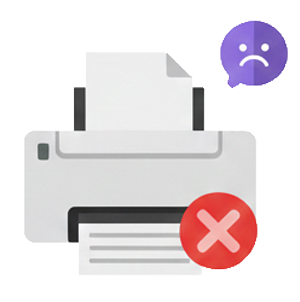
My Printer Won't Print
THE PROBLEM
- Printer not responding
- Print jobs stuck in the queue
- Prints blank pages
- Paper jams constantly
- Error lights flashing
THE SOLUTION
Printer Troubleshooting
- Diagnose the problem
- Clear jams and errors
- Fix connection issues
- Get you printing again
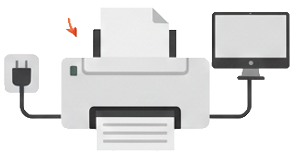
I Need Printer Setup
THE PROBLEM
- The new printer needs installation
- Need to connect to your network
- Multiple computers need access
- Scanner not working
- Drivers won't install
THE SOLUTION
Printer Installation
- Physical setup
- Driver installation
- Network configuration
- Connect all devices that need it
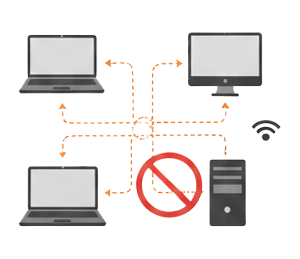
I Need Network Printing
THE PROBLEM
- Everyone needs to print to the same printer
- The printer only works from one computer
- Need wireless printing
- Want to print from phones/tablets
- The current setup is a mess
THE SOLUTION
Network Printer Setup
- Configure the printer for network access
- Connect all computers and devices
- Enable mobile printing
- Simplify your printing workflow
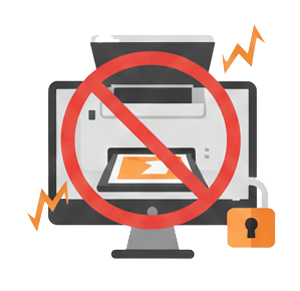
My Scanner Isn't Working
THE PROBLEM
- The scanner won't scan
- Can't scan to email or folder
- Scan quality is poor
- Software not working
- Need to set up scan destinations
THE SOLUTION
Scanner Setup & Troubleshooting
- Fix scanning issues
- Configure scan-to-email
- Set up scan destinations
- Optimize scan quality
How We Fix Your Stuff
1
You Contact Us
Call +1 763-515-1153 or fill out our online form. Tell us what’s wrong or what you need.
2
We Give You an Estimate
We’ll tell you roughly how long it should take and what it’ll cost. No surprises. T1 Support: $140/hour. T2 Support: $180/hour.
3
We Fix the Problem
Our local Minnesota team handles your issue. Same technicians each time who remember you and your systems.
4
You Pay for Time Worked
Simple invoice for the time we spent. No monthly fees, no contracts, no hidden charges.
Frequently Asked Questions
Fixing and setting up office and network printers. Printer trouble? Call (763) 515-1153.
Can you fix a printer that won't print or shows offline?
Yes. A printer that says offline or refuses to print is usually a connection, driver, or print-queue problem, and those are quick fixes for us. We often solve them remotely by screen share, so you are printing again without waiting for a visit. On-site help is available across the Twin Cities if the hardware needs attention.
Can you set up a network or wireless printer for our office?
Yes. We set up wireless and network printers so everyone in your office can print from their own computers and phones. We connect the printer, install the right drivers, and test it from each device. We do this on-site across the Minneapolis metro, or remotely by screen share when possible, at a flat $140 per hour.
Do you support HP, Canon, Brother, and Epson printers?
Yes. We troubleshoot and set up all common office printer brands, including HP, Canon, Brother, and Epson. Whether it is a connection issue, a driver problem, or a new printer to install, we handle it in plain English. Most printer issues we can fix remotely by screen share for Twin Cities businesses and home offices.
Why does my printer keep going offline or disconnecting?
Printers usually drop offline because of a Wi-Fi hiccup, an IP address change, an outdated driver, or a stuck print queue. We find the real cause and set things up so it stays connected, instead of applying a temporary fix. We can sort this out remotely by screen share for most Twin Cities customers.
Serving Minneapolis, St. Paul, Brooklyn Park & Maple Grove
From our office in Brooklyn Park, we provide printer support for businesses across the Twin Cities metro. Find IT support near you:
Let’s Fix Your Stuff
Tell us what’s going on with your IT. We’ll respond with the next steps.
Contact
Phone: +1 763-515-1153
Address
8851 Zealand Ave N Ste B, Brooklyn Park, MN 55445, United States
Working Hours
Mon-Fri: 9am – 5pm
Weekend: Closed